


Lazarus

Lazarus is a free, open-source integrated development environment (IDE) for the Free Pascal programming language. It provides a visual design interface similar to Delphi, allowing developers to create cross-platform GUI applications easily. Lazarus supports rapid application development, debugging, and compilation for Windows, macOS, Linux, and other platforms, making it ideal for building native desktop applications.

Kite

Kite is an AI-powered coding assistant that integrates with popular code editors like Visual Studio Code, PyCharm, and Sublime Text. It provides autocomplete suggestions, documentation lookup, and code snippets to help developers write Python and other supported languages faster and more accurately. Kite uses machine learning to analyze code context and offer relevant completions in real time.

M.U.G.E.N

M.U.G.E.N is a customizable 2D fighting game engine that allows users to create their own fighting games. It supports custom characters, stages, animations, and sound effects, enabling fans and developers to build unique games or tribute projects. M.U.G.E.N is highly flexible and widely used in the indie and fan game community for creating personalized fighting game experiences.

GitHub Copilot

GitHub Copilot is an AI-powered coding assistant that helps developers write code faster and more efficiently. It integrates with popular code editors like Visual Studio Code, suggesting whole lines or blocks of code based on the context, comments, and existing code. Copilot uses machine learning trained on public code repositories to provide intelligent autocomplete, boilerplate generation, and even complex algorithm suggestions.

Laragon

Laragon is a portable, fast, and lightweight local development environment for Windows. It allows developers to easily set up and manage web stacks like Apache, Nginx, MySQL, MariaDB, PHP, and Node.js. Laragon simplifies the process of creating isolated development environments, supports automatic virtual hosts, and is popular for building and testing web applications locally without complex configuration.

Komodo IDE

Komodo IDE is a full-featured integrated development environment (IDE) developed by ActiveState, designed for web and software development. It supports multiple programming languages such as Python, PHP, Perl, JavaScript, and HTML/CSS. Komodo IDE includes advanced features like debugging, unit testing, version control integration, code intelligence, and project management, providing developers with a comprehensive environment for writing, testing, and maintaining code.

Komodo Edit

Komodo Edit is a free, lightweight text and code editor developed by ActiveState. It supports multiple programming languages, including Python, PHP, JavaScript, HTML, and CSS. Komodo Edit offers features like syntax highlighting, code folding, auto-completion, and project management, making it a simple yet effective tool for coding and web development.

KNIME Analytics Platform

KNIME Analytics Platform is an open-source software for data analytics, reporting, and integration. It provides a visual, drag-and-drop interface to create workflows for data preprocessing, analysis, and machine learning without extensive programming. KNIME supports a wide range of data sources, advanced analytics, and extensions, making it popular for data scientists and business analysts to extract insights and build predictive models.

JustDecompile

JustDecompile is a free .NET decompiling tool developed by Telerik. It allows developers to explore, decompile, and analyze .NET assemblies (EXE or DLL files) to view the source code in C# or IL (Intermediate Language). JustDecompile is useful for debugging, understanding third-party libraries, recovering lost code, and creating plugins or extensions for .NET applications.

Justinmind

Justinmind is a prototyping and wireframing tool used to design interactive web and mobile applications without coding. It allows designers to create high-fidelity prototypes with clickable elements, forms, animations, and user flows, helping teams visualize and test app functionality before development. Justinmind also supports collaboration, feedback, and integration with other design tools.

Julia Language

Julia is a high-level, high-performance programming language designed for numerical computing, data analysis, and scientific computing. It combines the ease of use of languages like Python with the speed of compiled languages like C. Julia features just-in-time (JIT) compilation, multiple dispatch, and strong support for parallel and distributed computing, making it ideal for mathematical modeling, simulations, and large-scale data processing.

jGRASP

jGRASP is a lightweight, integrated development environment (IDE) designed to provide visualizations for Java, C, C++, and Python programs. It offers automatic generation of UML class diagrams, dynamic runtime visualizations, and other graphical tools to help developers understand code structure and behavior. jGRASP is especially useful for learning, debugging, and improving code comprehension.

JProfiler

JProfiler is a powerful Java profiling tool used to analyze performance, memory usage, and thread behavior in Java applications. It helps developers identify bottlenecks, memory leaks, and concurrency issues by providing detailed visualizations and real-time statistics. JProfiler supports both standalone and server-based applications, making it widely used for performance tuning and optimization in production and development environments.

Jenkins

Jenkins is an open-source automation server used to build, test, and deploy software continuously. It supports Continuous Integration (CI) and Continuous Delivery (CD) practices, allowing developers to automatically compile code, run tests, and deploy applications. Jenkins is highly extensible through plugins, works with many programming languages and version control systems, and helps streamline the software development lifecycle.

JD-GUI

JD-GUI is a standalone graphical tool for decompiling Java .class files. It allows developers to view the source code of compiled Java programs, which is useful for debugging, understanding third-party libraries, or recovering lost source code. JD-GUI displays the reconstructed Java code in a readable format but does not allow editing or recompiling directly.

JavaScript Editor

A JavaScript Editor is a software tool or code editor specifically designed for writing, editing, and debugging JavaScript code. It often includes features like syntax highlighting, code completion, error checking, and debugging tools to make development faster and more efficient. Examples include Visual Studio Code, Sublime Text, and Atom, which help developers build web applications, interactive websites, and server-side scripts.

Jaspersoft Studio

Jaspersoft Studio is a powerful, Eclipse-based report designer for creating, editing, and publishing reports with JasperReports. It allows developers and analysts to design complex reports with tables, charts, images, and subreports through a visual interface. Jaspersoft Studio supports exporting reports to multiple formats, including PDF, Excel, HTML, and more, making it widely used for business intelligence and data reporting solutions.

Jarfix

Jarfix is a small utility for Windows that fixes the file association for .jar files. Sometimes, after installing or updating Java, double-clicking a .jar file may not run the program correctly. Jarfix restores the proper association between .jar files and the Java Runtime Environment (JRE), allowing Java applications to run smoothly by simply double-clicking them.

Intel HAXM

Intel HAXM (Hardware Accelerated Execution Manager) is a virtualization engine that speeds up Android app emulation on Windows and macOS. It leverages Intel CPUs’ hardware virtualization features to run Android virtual devices more efficiently, improving performance and responsiveness during development and testing.

Spelunking The Mine Match

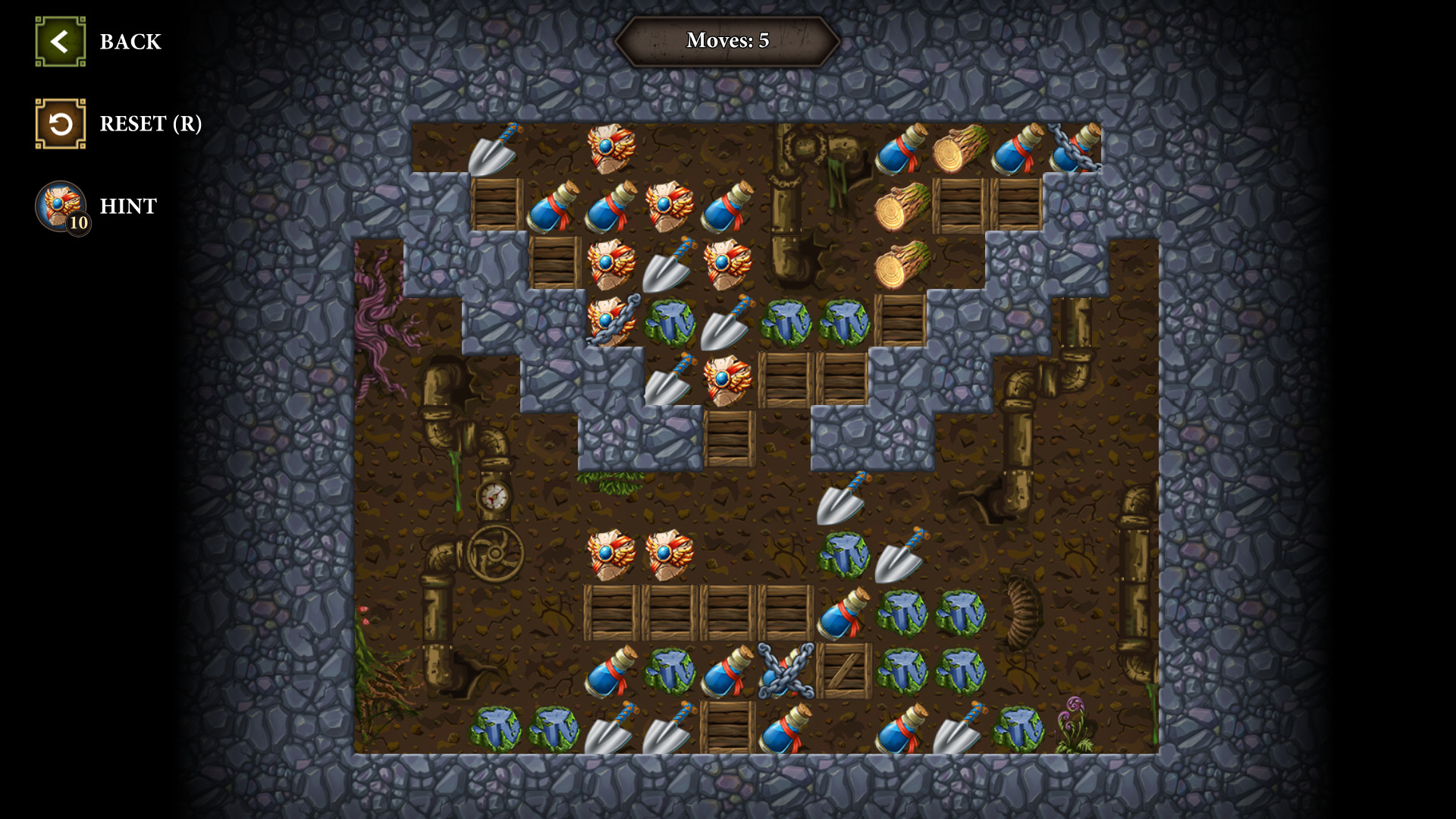
SpelunKing: The Mine Match

Image
Image
Image

Here’s a detailed overview of SpelunKing: The Mine Match, covering what it is, how it plays, and some pros/cons.


🎮 Game Overview

  • SpelunKing: The Mine Match is a casual match‑3 puzzle game developed by Playcademy and published by GC Games / Ocean Media LLC on various platforms. (Steam Store)
  • In the game you dive into an old mine to recover lost items (your grandpa’s items) and collect precious stones, all while helping rebuild a town named Farnsbury. (GameTop.com)
  • It features a fairly large amount of content: “25 enormous areas” within the mine, “over 90 unique challenge rooms”. (WildTangent Games)
  • Platforms: Windows PC, Nintendo Switch, PlayStation 5 (and possibly others). (Nintendo)

🧩 Key Gameplay & Features

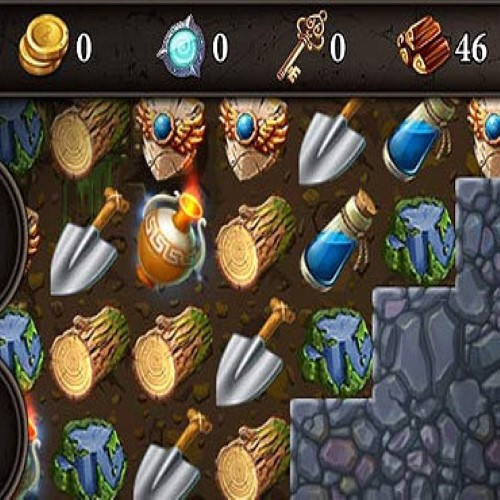
  • Core mechanic: standard match‑3 board play — you swap/match gems/tiles, clear them, meet level objectives. The mine theme overlays this core. (GameTop.com)
  • Exploration meta‑layer: As you clear more boards you uncover deeper mine areas, secret rooms and gain access to upgrades/power‑ups. (Steam Store)
  • Visual/setting: The theme places you underground in a mine, collecting gems and lost items, rebuilding a town, which gives more of a “progression” feel rather than just puzzle after puzzle. (GameTop.com)
  • System requirements: For PC version, modest requirements (e.g., Windows 7+ with ~1 GB free storage). (Steam Store)

✅ Why It Might Be Worth Trying

  • If you enjoy match‑3 puzzles but prefer a little more progression (areas to unlock, story/mine theme) rather than purely “level after level”, this game adds that.
  • The mine exploration and town‑rebuilding backdrop provide added flavour.
  • Accessible for casual play: both in terms of mechanics and system demands.
  • Multiple platforms mean you have flexibility if you prefer console/PC.

⚠️ Things to Keep in Mind

  • At its heart it is still a match‑3 game — if you’re looking for radically new puzzle mechanics it may feel familiar.
  • While the exploration layer adds flavour, some players may feel the meta-layer is modest (just boards + unlocks) rather than a deep simulation or building game.
  • Reviews are mixed: On Steam the user reviews are “Mixed” with 67% positive based on 49 reviews. (Steam Store)
  • If you use a platform like Mac or a very new OS, check compatibility for your version.

🎯 Basic Specs at a Glance

  • Developer: Playcademy (Steam Store)
  • Primary Genre: Match‑3 / Puzzle / Casual
  • Release Date: Windows version around 2019; Switch version released Feb 24 2022. (GameCompanies.com)
  • Level / Content Count: 25 major mine areas + 90+ challenge rooms. (GameTop.com)
  • Platforms: Windows PC, Nintendo Switch, PS5. (PlayStation Store)

Trip to Italy Travel Riddles

Here’s a brief description of Travel Riddles: Trip To Italy:


🎮 Overview

Travel Riddles: Trip To Italy is a match‑3 puzzle game developed by Notus Games Ltd that takes you on a journey through Italy, from Rome to Tuscany, Venice, Milan, Naples and Sicily. (IPlay)
In the game you swap tiles, use power‑ups and collect artifacts while visiting beautiful Italian locations. (GameTop.com)


🧩 Key Gameplay Features

  • Over 80 artifacts to collect as you progress through the game. (Steam Store)
  • The game is divided into 7 episodes and features up to 186 levels according to some sources. (GameHouse.com)
  • Classic match‑3 mechanics: swap tiles to match three or more, clear obstacles, use power‑ups and bonuses. (GameTop.com)
  • Beautiful visuals of iconic Italian destinations (Rome, Venice, Tuscany, etc) and a soundtrack to match the journey. (IPlay)

✅ Why It Might Be Worth Playing

  • If you enjoy match‑3 puzzle games and also like the idea of a travel/adventure theme, this game offers a relaxing yet engaging experience.
  • The Italy setting gives an extra layer of charm and scenery beyond just board clearing.
  • The artifact collection and episode structure help give you goals beyond individual levels.

⚠️ Things to Know

  • The gameplay remains within the typical match‑3 genre; if you’re looking for radically new mechanics it might feel familiar.
  • On mobile versions there appear to be in‑app purchases (for gold, unlocking episodes) in some region listings. (App Store)
  • Be sure to check the compatibility if playing on newer systems or devices.

Gift Puzzle

Here’s a brief description of Gift Puzzle:


🎮 Overview

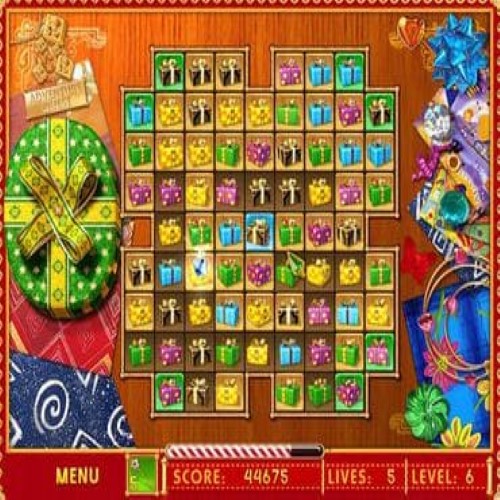
Gift Puzzle is a match‑3 style puzzle game for Windows. You clear boards of colorful wrapped gift boxes, uncover hidden golden tiles, and advance through levels. The game offers four distinct modes that change how you play (e.g., standard swap‑match, square‑building, timed mode, no‑timer mode). (GameTop.com)


🧩 Key Gameplay Features

  • Swap adjacent gift‑boxes to form lines of three or more, causing them to vanish. (GameTop.com)
  • Clear golden tiles on each board: these mark your progress and when all are revealed you move to the next level. (GameTop.com)
  • Four modes:
    1. Adventure Quest
    2. Miracle Quads (build 2×2 squares for fast scoring)
    3. Fable Puzzle
    4. Amazing Action (which may include a timer) (GameTop.com)
  • Some modes are relaxed (no timer) while others are time‑based. (GameTop.com)
  • Holiday / gift‑wrapped aesthetic: visuals of gift boxes, festive theme, cozy mood. (GameTop.com)
  • Very small file size (~8 MB in one listing) and low system requirements. (GameTop.com)

✅ Why You Might Like It

  • It’s straightforward and accessible — good for casual puzzle breaks.
  • The festive / gift‑box theme gives a nice seasonal feel and a light mood.
  • The variety of modes adds some replay value beyond “just swap to match”.
  • Because the game is small and simple, it’s easy to run on modest hardware.

⚠️ Things to Keep in Mind

  • The mechanics are very familiar for match‑3 fans — if you’ve played many similar games you may find it less novel.
  • While there are multiple modes, the depth of each may be modest (it’s more a light puzzle game than a deep meta‑game).
  • Some modes include timers which add pressure; if you prefer fully relaxed play pick the no‑timer mode.
  • As an older/smaller title, it may lack modern polish or advanced features found in larger puzzle games.

📋 Platform & System Info

  • Platform: Windows PC (Windows 11/10/8/7/XP) according to one distributor. (GameTop.com)
  • File size: ~8 MB in one listing. (GameTop.com)

Clear It 7

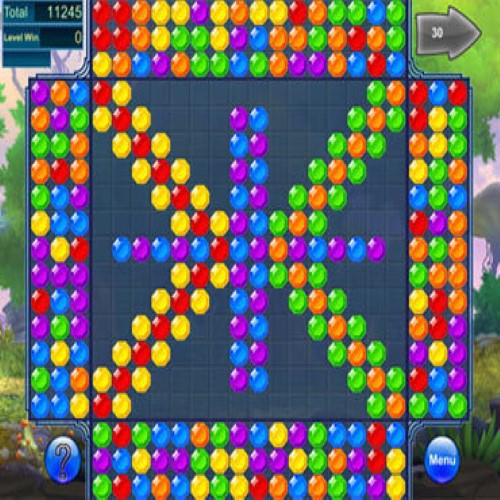
Clear It 7 is a colorful and challenging puzzle game where players shoot balls from the edges of the board to match colors and clear all pieces. The game features hundreds of levels with increasing difficulty, vibrant visuals, and relaxing gameplay that tests precision, logic, and planning skills.

Silver-Tale

Silver Tale is a match-3 puzzle adventure game set in a fantasy world filled with magic and mythical creatures. Players complete match-3 levels to collect resources, restore kingdoms, and unlock new areas. The game features power-ups, special combos, and progressively challenging puzzles, often tied to an engaging storyline. With its vibrant visuals, magical themes, and strategic gameplay, Silver Tale provides an addictive and immersive experience for fans of casual puzzle and fantasy adventure games.

Twitter Delicious Facebook Digg Stumbleupon Favorites More